User guide · 2/15
Dashboard
The home screen: live counts, total debt per currency, quick actions, active classes with their credit settings, debtors and enrollments ending soon.
At a glance
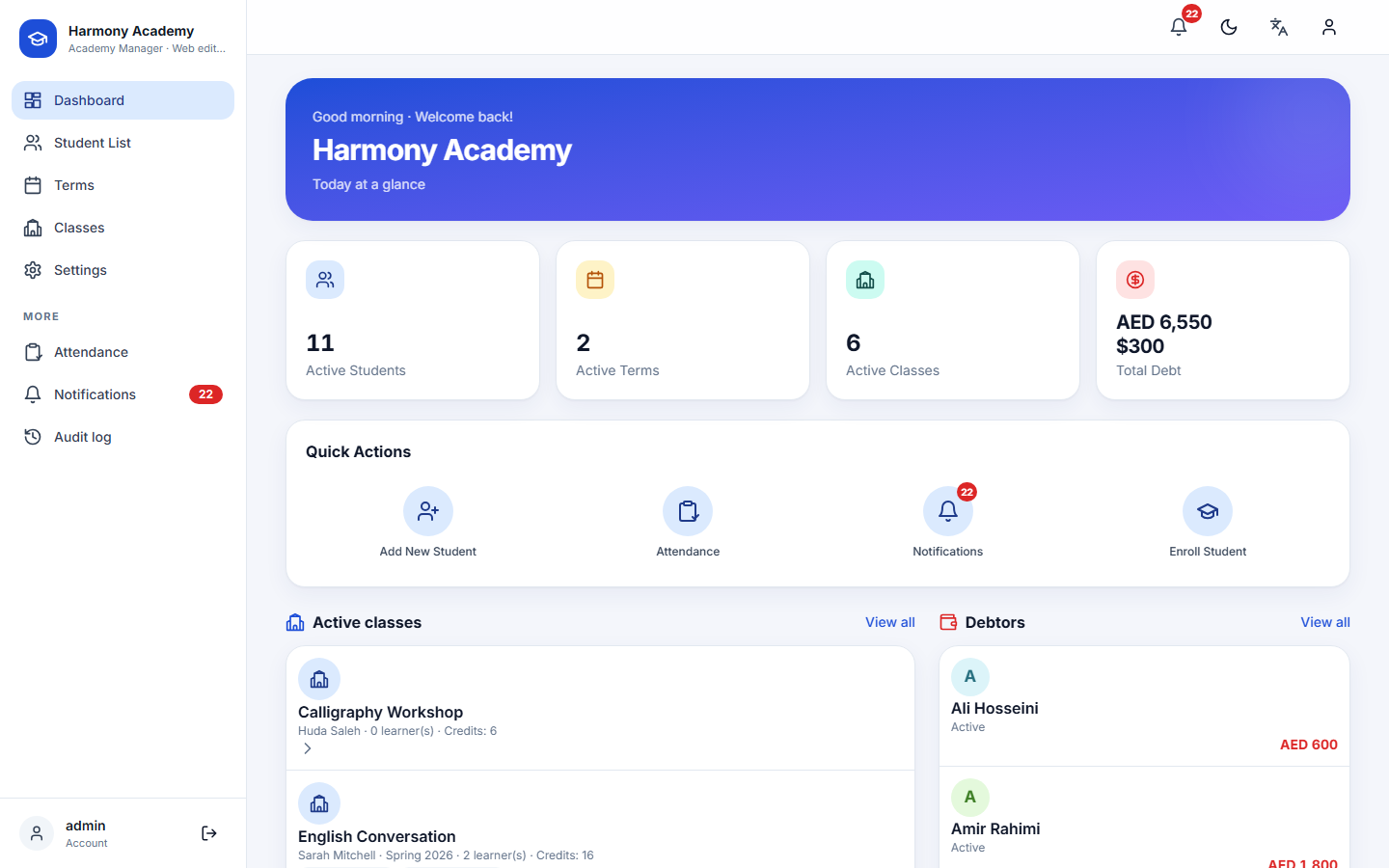
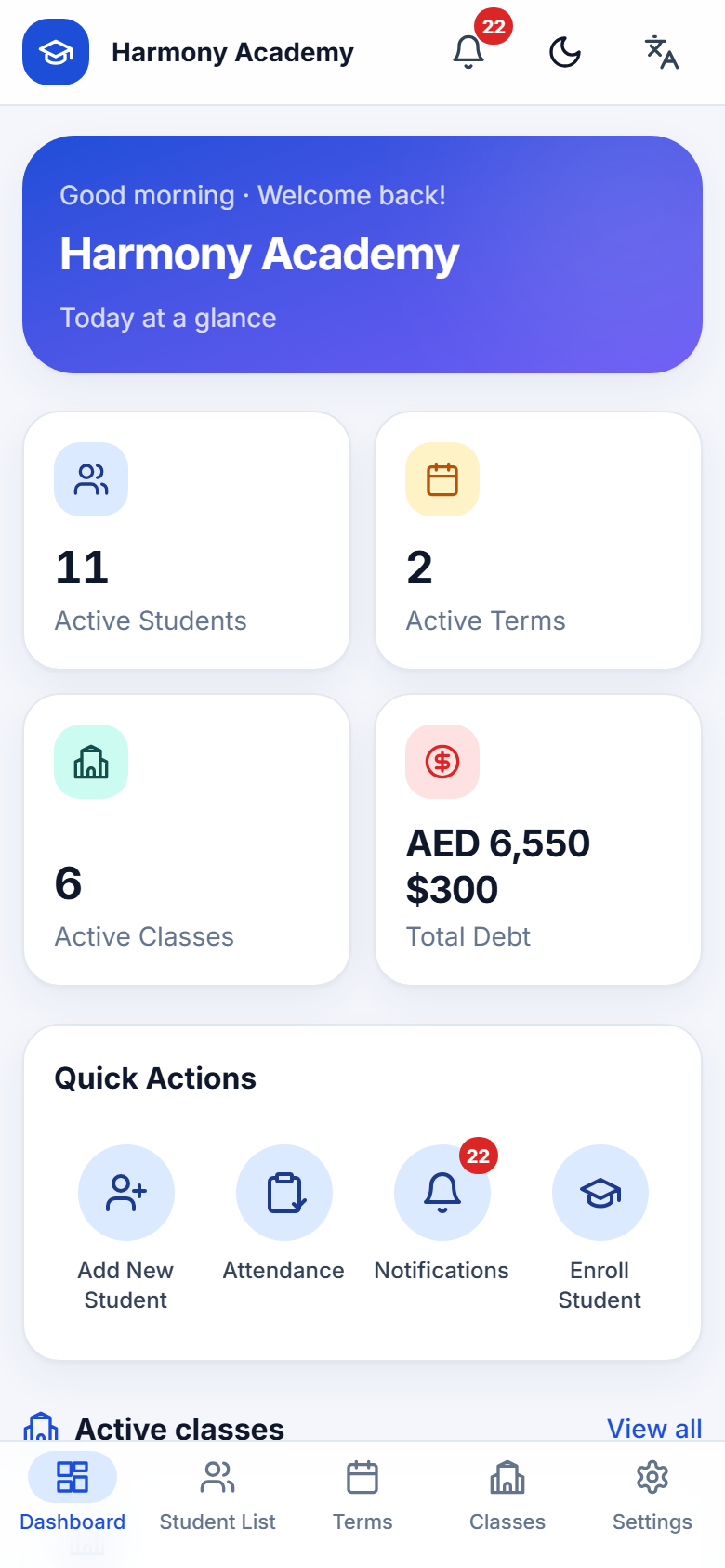
The dashboard opens after sign-in and is the first tab on the phone. From top to bottom:
- Banner with a greeting and your academy name.
- Four counters: active learners, active terms, active classes (including classes that belong to no term) and the total outstanding debt, listed per currency. Archived learners are excluded from the debt figure so it always matches the debtor list below it.
- Quick actions: add a learner, take attendance, open notifications (with the unread badge) and start an enrollment.
- Active classes: every non-archived class with teacher, term, the number of live learners and the class's session-credit setting. Tap a class to open it.
- Debtors: learners with a positive balance in any currency, with the amount owed. Only positive balances are shown here; credits and settled accounts never appear in red.
- Ending soon: learners whose active enrollment ends within the threshold set under Settings → Notifications (7 days by default).
The dashboard runs the checks
Every time you return to the dashboard the app runs its automatic checks and raises alerts for unpaid balances, enrollments ending or ended, attendance not taken today, session credits running low or finished, and an overdue backup. On the web edition the checks also run every fifteen minutes in the background. See Notifications for the rules and how duplicates are avoided.
Reading the numbers
Amounts follow the language: AED 1,200 in English, 1,200 درهم in Arabic, ۱٬۲۰۰ درهم with Persian digits in Persian. Dates follow the calendar of the language, Gregorian or Jalali.
Dark mode
The theme toggle in the top bar switches between light and dark; Settings → Appearance also offers System, which follows the device.