User guide · 10/15
Archive, restore & permanent delete
Why nothing is deleted by default, how archiving cascades and restores faithfully, and the one place where permanent deletion lives.
Archive instead of delete
Learners, terms, classes and enrollments are archived, never removed, from their own screens. Archived records disappear from lists, counts, debt totals and alerts, but keep every ledger row and every attendance record.
Each record remembers the status it had before archiving (active or inactive, open or closed), and Restore puts that status back rather than guessing.
Cascades
- Archiving a term archives its classes and their enrollments and marks them archived with parent. Restoring the term restores exactly those, and leaves anything you had archived on its own where it was.
- Archiving a class archives its enrollments the same way. Restoring a class under an archived term restores the term too.
- Archiving an enrollment voids its invoice, discount and referral credit (payments stay), exactly like cancelling.
Permanent delete
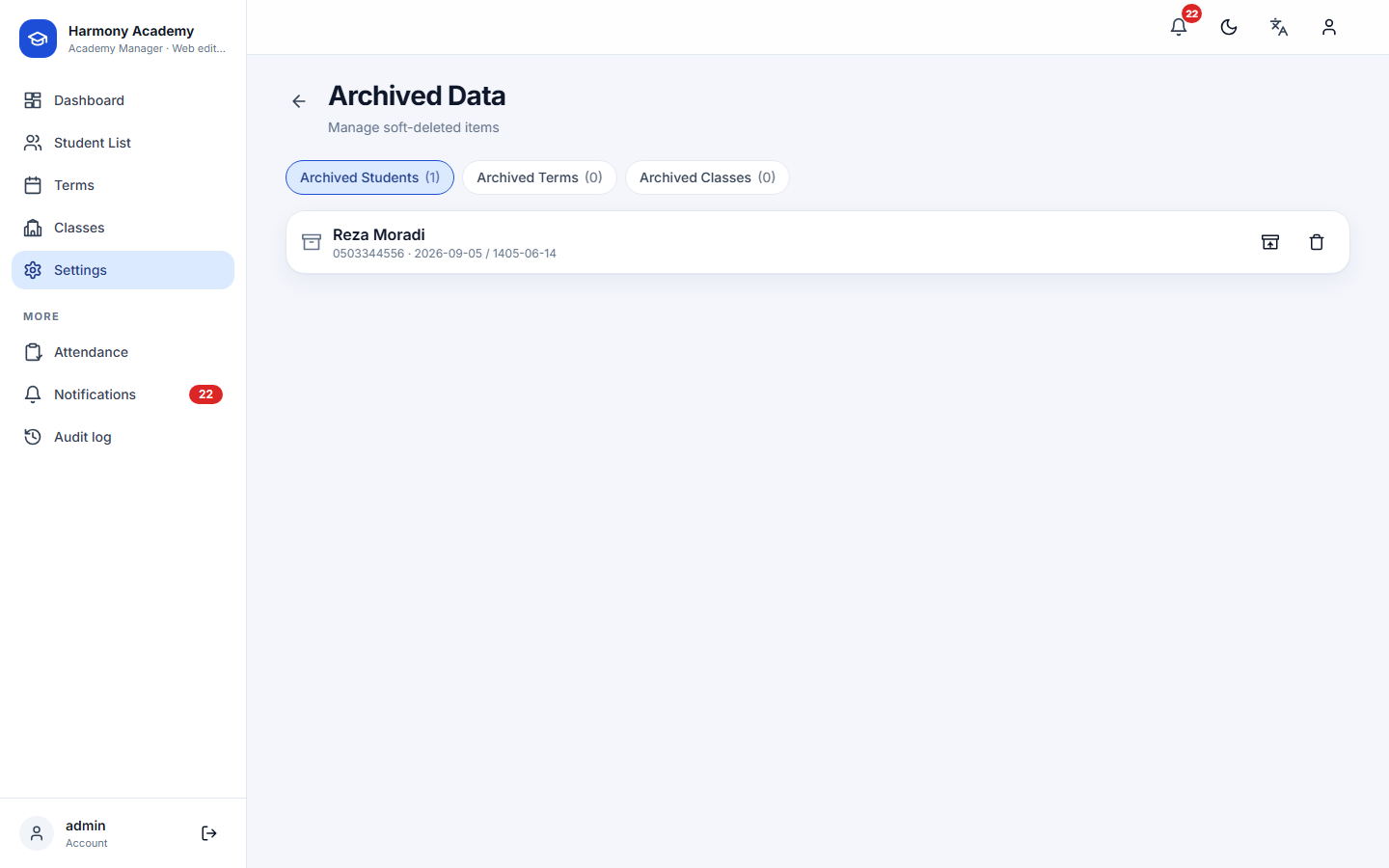
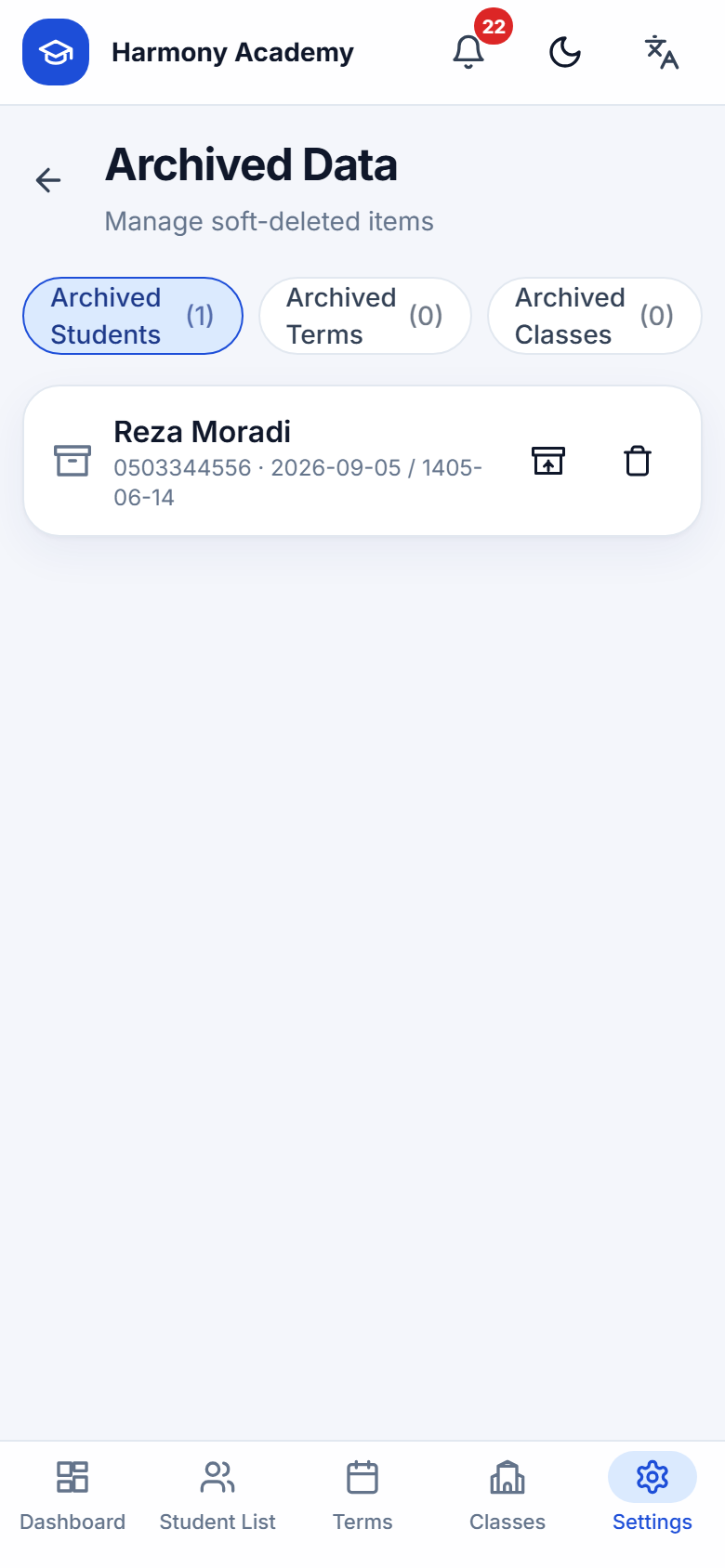
Settings → Archive has three tabs, learners, terms and classes, each with Restore and a red Delete permanently button. Deletion only works on an already archived record and asks you to type the confirmation word.
What permanent deletion does:
- Learner: removes attendance, ledger rows, enrollments, notes, alerts and referrals of that learner, detaches anyone who listed them as referrer, and deletes the photo. The final balances per currency are written into the audit log first, so the deletion itself remains traceable.
- Term / class: removes the classes, enrollments and attendance underneath; the ledger rows are voided and detached, not erased, so the learners' money history survives.
Audit entries are never deleted with their entity; that is the point of the trail.