User guide · 5/15
Enrollment
One form that opens the invoice, applies discounts and referral credit, checks capacity and timetable clashes, and can be cancelled cleanly.
The form
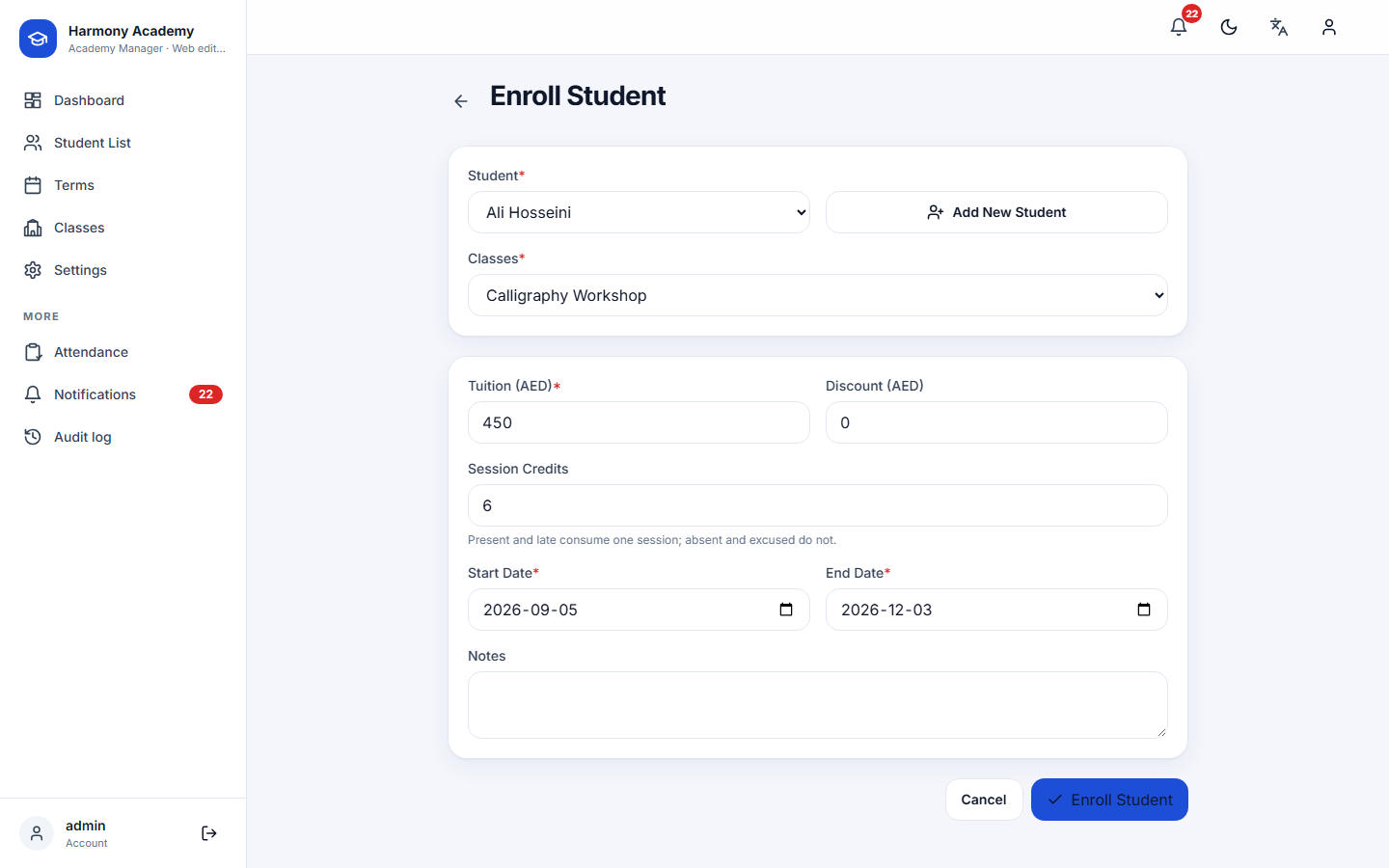

Start from a learner's profile (Enrollments → Enroll), from a class page (Enroll), or from the dashboard's quick action. Pick the learner and the class; the form then prefills:
- Tuition and currency from the class.
- Session credits from the class.
- Start and end dates from the class's term, or today plus ninety days for an independent class.
Learners already actively enrolled in the chosen class are not offered again; cancelled or completed enrollments do not block a new one.
What the form checks
- Discount ≤ tuition. A manual discount larger than the tuition is refused (and clamped again on the server), so a learner can never end up in credit from a discount.
- Capacity. If the class has a capacity and it is full, the form stops with Class is full.
- Timetable clashes. If a weekly slot of the new class overlaps a slot of a class the learner already attends, a warning lists the conflicts. You can proceed anyway.
- Dates. The end date cannot be before the start date.
What happens when you save
One transaction writes everything, so it either all succeeds or nothing changes:
- The enrollment is created with
final_amount = tuition − manual discount − referral credit(never below zero). - A Tuition Fee Invoice row for the full tuition is added to the learner's ledger, dated on the start date.
- If there is a manual discount, a Manual Discount row is added.
- If the learner has enough pending referrals for a milestone, an Applied Referral Credit row is added, capped at what is still owed; see Referral program.
- An audit entry records who was enrolled, in what, for how much.
The golden rule of the ledger: an enrollment's final amount always equals the sum of its live ledger rows. Every later edit or void recomputes it.
Editing an enrollment
From the profile's Enrollments tab, Edit enrollment changes the dates, the session credits, the notes and the status (active or completed). Money is not edited here; change the ledger rows instead, so the change is audited.
Cancelling
Cancel enrollment sets the status to cancelled and voids the invoice, the manual discount and the referral credit. Payments already made stay on the account, so a learner who had paid becomes a creditor rather than keeping a phantom debt. Everything is logged and every void can be reversed from the ledger.
Archive enrollment does the same but hides the enrollment; it can be seen again under the class with include archived.