User guide · 7/15
Finance ledger
The balance formula, recording payments, discounts and adjustments, editing with a reason, voiding and restoring rows, and the audit trail.
The formula
Every learner has a ledger, one row per money event, kept per currency:
balance = Σ invoice − Σ discount − Σ referral credit − Σ payment + Σ adjustment − Σ refund
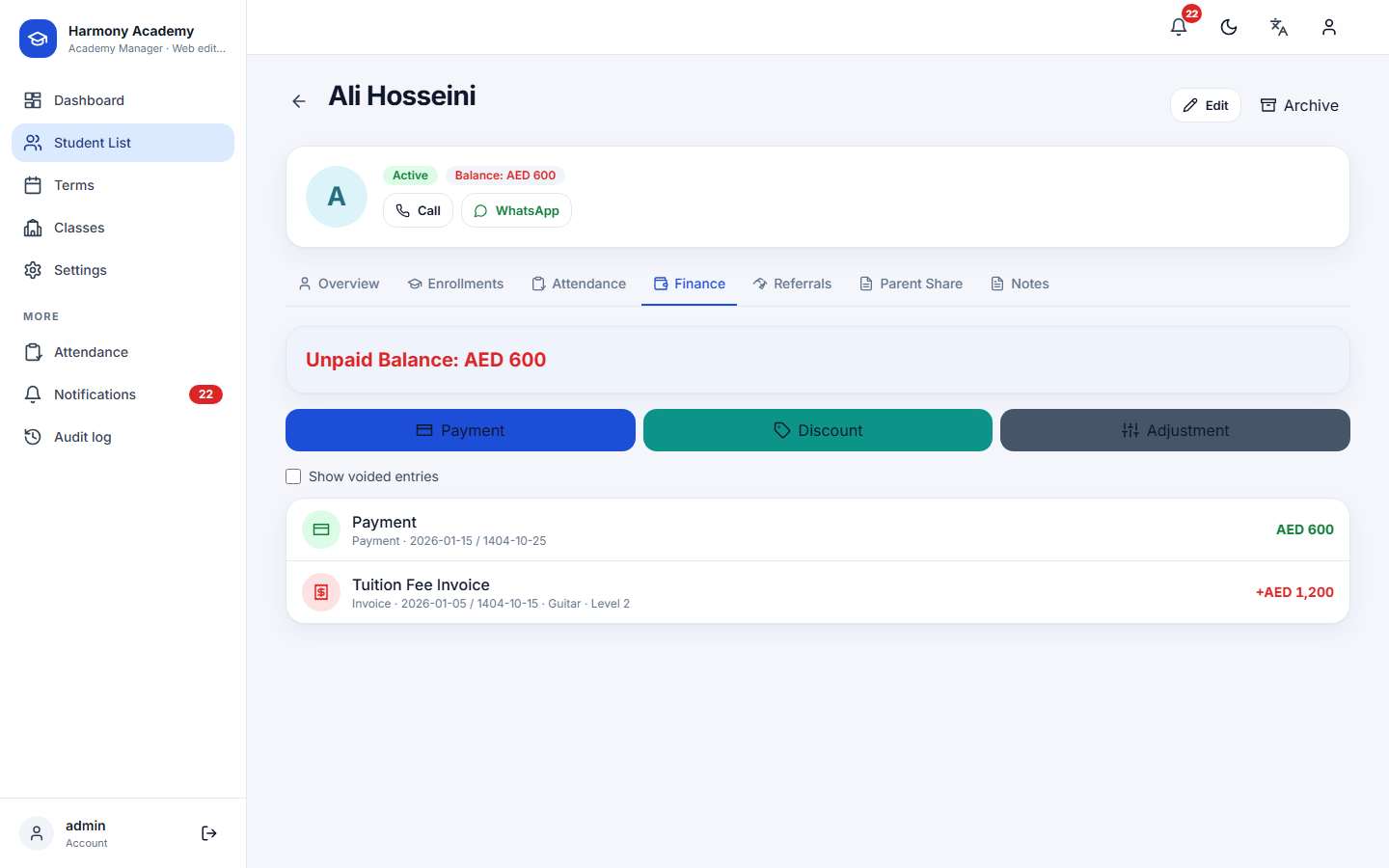
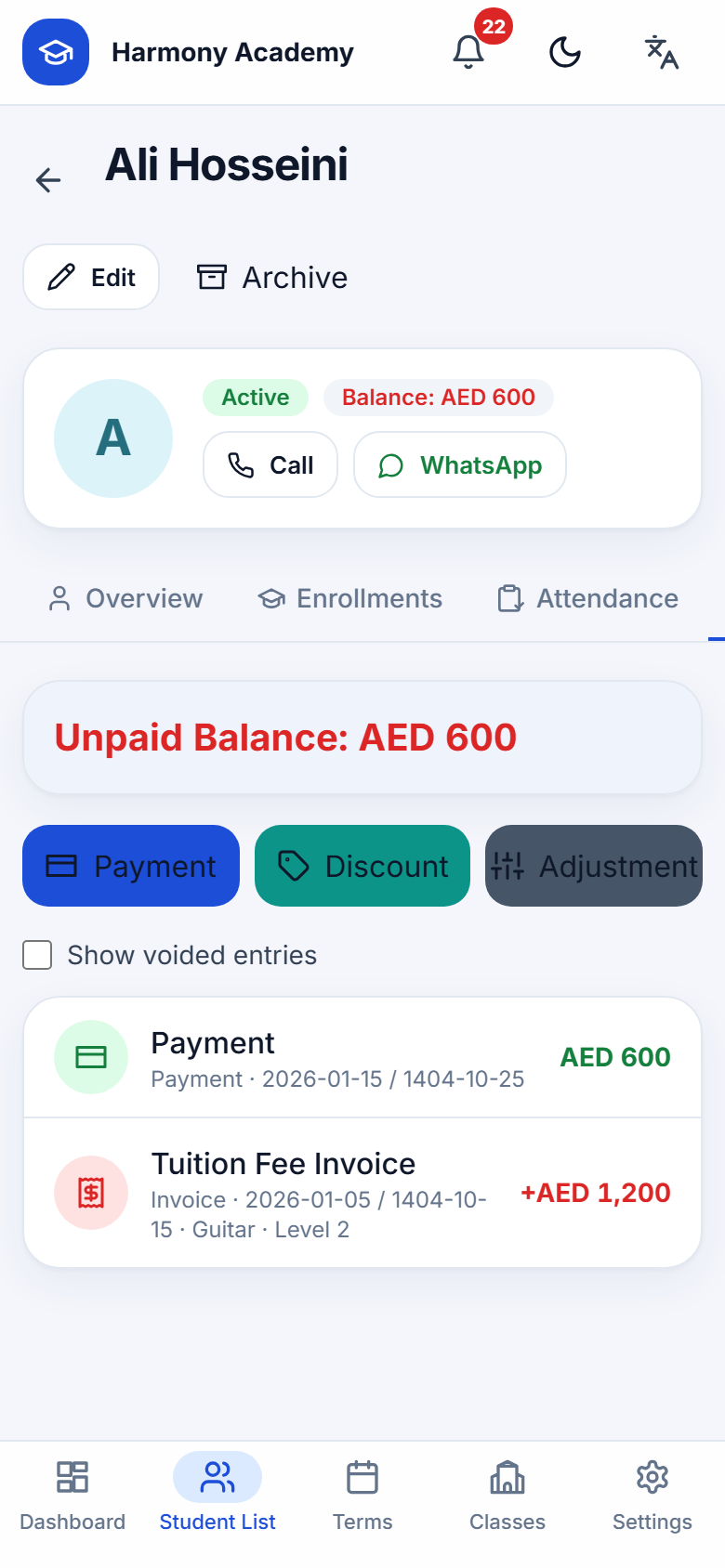
Positive is owed (red), negative is in credit (green), zero is settled. Voided rows count for nothing. The same formula drives the profile, the list badges, the dashboard's total debt and the Debtor filter.
Recording money
Three buttons on the Finance tab:
- Payment: money received. Amount must be positive.
- Discount: a reduction you grant after enrollment.
- Adjustment: a correction in either direction. Choose Increase debt or Decrease debt; a decrease is stored as a negative amount.
Each row can be linked to an enrollment (Related class). The currency then follows that enrollment, never the app-wide default, so a payment against an AED class is never filed under USD. The date defaults to today and can be set to when the money actually moved; a note is optional.
Amounts accept Western, Arabic-Indic and Persian digits and thousands separators.
Editing a row
Tap a row, choose Edit. Amount, date, related class and note can change; a reason is required. The row is stamped Edited, the previous state is kept in the audit log, and any linked enrollment is recomputed. System rows (the invoice, referral credit) can be edited too, which is how you correct a mistyped tuition.
Voiding and restoring
Void removes a row from every balance while keeping it visible, struck through, with the reason you type. Show voided entries reveals voided rows; Restore reverses a void. A voided row cannot be edited until it is restored.
Cancelling or archiving an enrollment voids its invoice, discount and referral credit in one go, with the reason enrollment cancelled.
The audit trail
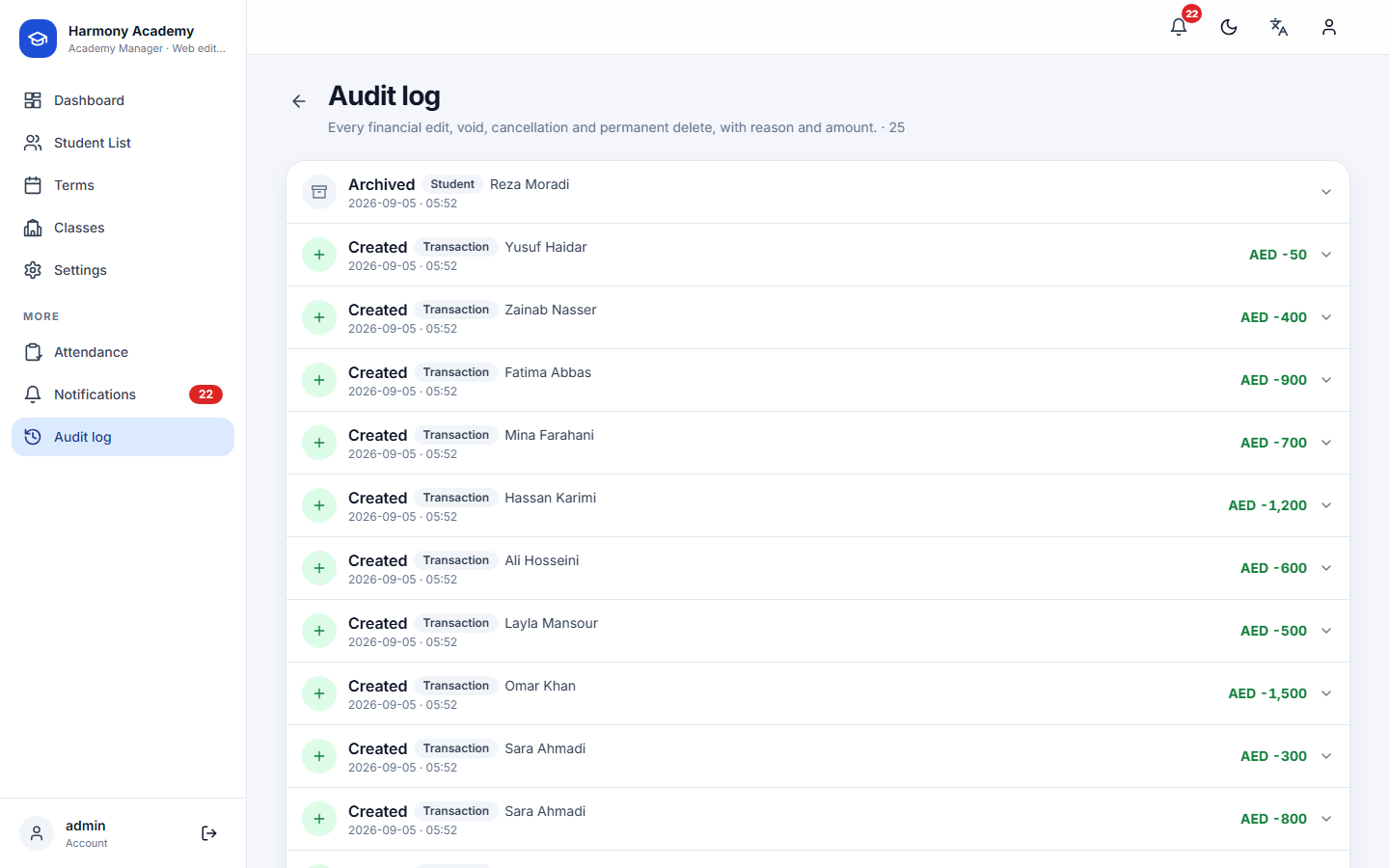
Every create, edit, void, restore, cancellation, archive and permanent delete writes an audit entry with the entity, the action, the reason, the state before and after, and the signed change in the balance. Tap a ledger row and choose Audit trail to see the history of that row alone; Settings → Audit log lists everything, newest first.
Refunds
A refund row type exists for compatibility with the mobile app's data model and currently reduces the balance like a payment. No screen creates refunds; to return money to a learner, record a Decrease debt adjustment with a note, which is fully audited.